10 min read
CloudControl is shutting down, time to migrate to Scalingo
Today 16th February 2016, CloudControl has announced that they are shutting down there services the 29th of February this year. It’s the second Platform as a Service which is closing its doors in less than a year (Shelly Cloud is stopping their service the 31st of March 2015). Our goal in this is to help you keeping yo
Today 16th February 2016, CloudControl has announced that they are shutting down there services the 29th of February this year. It’s the second Platform as a Service which is closing its doors in less than a year (Shelly Cloud is stopping their service the 31st of March 2015). Our goal in this is to help you keeping your applications alive, and to help you developing them further and further without the burden of handling your own infrastructure.
Scalingo’s approach to Platform as a Service is close to CloudControl model. Both services are based on buildpacks and Procfile. Those two technilogies have been introduced by Heroku years ago and have become a standard for PaaS providers. Thanks to these similarities, the migration process only takes a few minutes.
Even though we think this migration documentation is comprehensive enough, don’t hesitate to search information in our documentation http://doc.scalingo.com and to contact our supportto help you in the migration process.
1. Create an account on Scalingo
Just go at https://scalingo.com and follow the instructions to get an account.
2. Get used to the environment
Dashboard
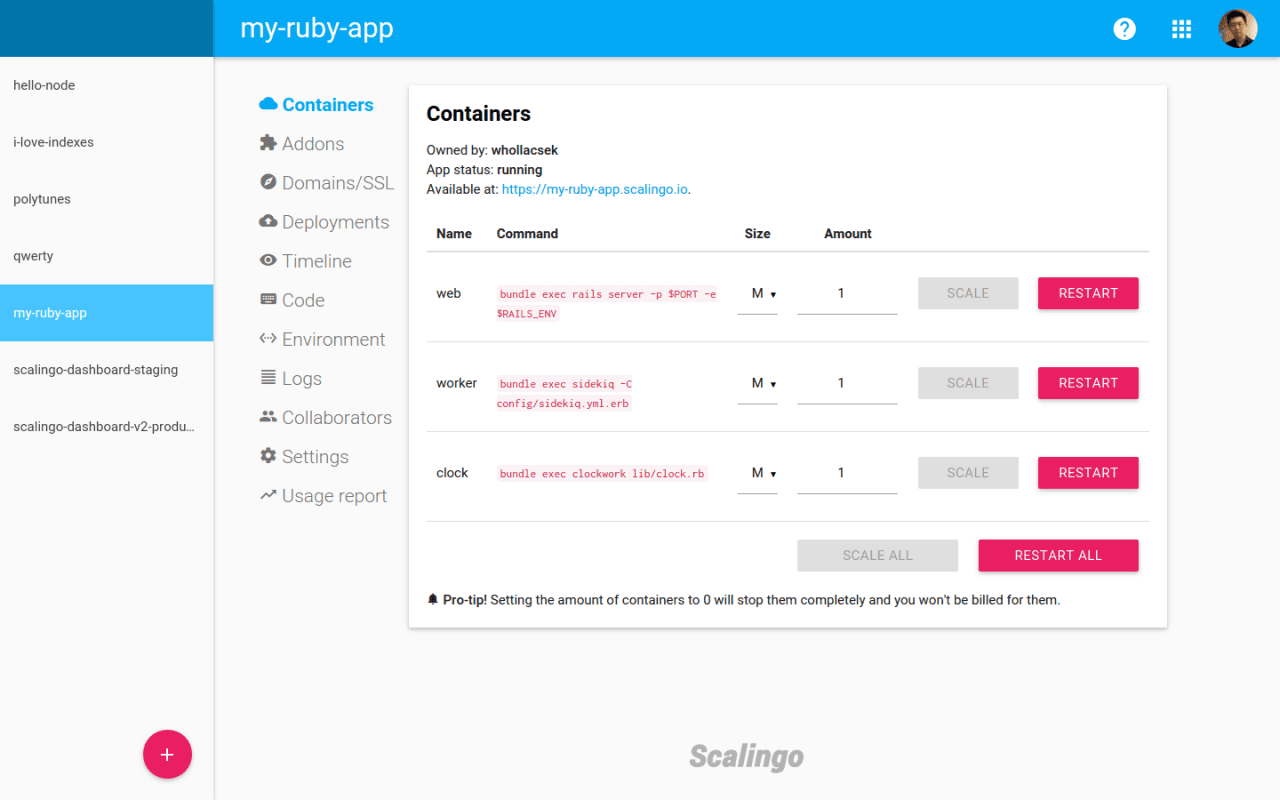
Scalingo is proposing different ways communicate with its service, the more commoon is to use the web dashboard https://my.scalingo.com. Here, you’ll be able to create and configure your applications.
Command line tool
The command line interface (CLI) is pretty simple to install. Just go athttp://cli.scalingo.com and follow the instructions. It is essentialy like installing a single binary on your system, there is no dependency to install, it just works.
You will find its documentation at following page: Introducing the CLI.
Everything which can be done in the web dashboard can be done with the CLI, and even more, like accessible your databases with helper commands or running one-off jobs for your apps.
Advanced usage: API
If you need to get things done automatically, you can use our open API. Its documentation can be located athttp://developers.scalingo.com. Everything which can be done through our web dashboard or our CLI can be done with this API as we’re also using it.
3. Create your applications
Clicking on ’+’ in the dashboard or with the CLI:
4. Install required addons
Your application often need a database to run correctly. Most kind of databases are provided directly by Scalingo as addons. As previously you can do it on the dashboard by going in the ‘Addons’ tab of your application, or with our CLI:
Scalingo is providing the following addons:
PostgreSQL
MySQL
MongoDB
Redis
Elasticsearch
[Private Beta] VPN IPsec client
[Private Beta] Shared file system
You’ll find more information about these addons athttps://scalingo.com/addons
If an addon does not have an equivalent on Scalingo, you can use the environment variables of your CloudControl app, directly in your Scalingo app.
5. Configure your account to push your code
Before pushing your code, youd should setup your SSH key to authenticate your GIT pushes. With the dashboard, go on the 'Keys’ page and upload your public SSH key (usually$HOME/.ssh/id_rsa.pub). Or obviously, you can do it with the CLI:
6. Push your application
We’re using the same workflow as CloudControl, so you first need to add a remote to your git repository:
That’s it, your application will be live in a minute.
7. Move your data from CloudControl to Scalingo
CloudControl didn’t rely on their infrastructure to host the databases and third-party providers were providing those. They gathered in their documentation all the different method to export the data of the database of their the different third party provider.
To import them on Scalingo, we’ll advise you to follow the more comprehensive guide located in our documentation.
8. Handling the custom domain names
What is called 'alias’ on cloudcontrol is named 'custom domain names’ on Scalingo. To migrate your app you’ve to modify the configuration of your app on Scalingo, and also the DNS field at your domain name registrar dashboard.
For more informations about domains on Scalingo, take a look at our dedicateddomain name management page.
Something else specific to your app?
Don’t hesitate to contact us at support@scalingo.com

Yann Klis
Yann Klis co-founded Scalingo. Scalingo's vision is to offer a european sovereign cloud housting platform for developers. Today Scalingo hosts thousands of web applications from customers located all over the world. Before that Yann founded Novelys a web studio specialised in Ruby on Rails technology.
Stay Updated
Get articles and platform updates in your inbox.
Ready to Deploy with Confidence?
Experience zero-downtime deployments, intelligent auto-scaling, and fully managed infrastructure. Start deploying your applications on Scalingo today.
No credit card required • Deploy in minutes • Cancel anytime